
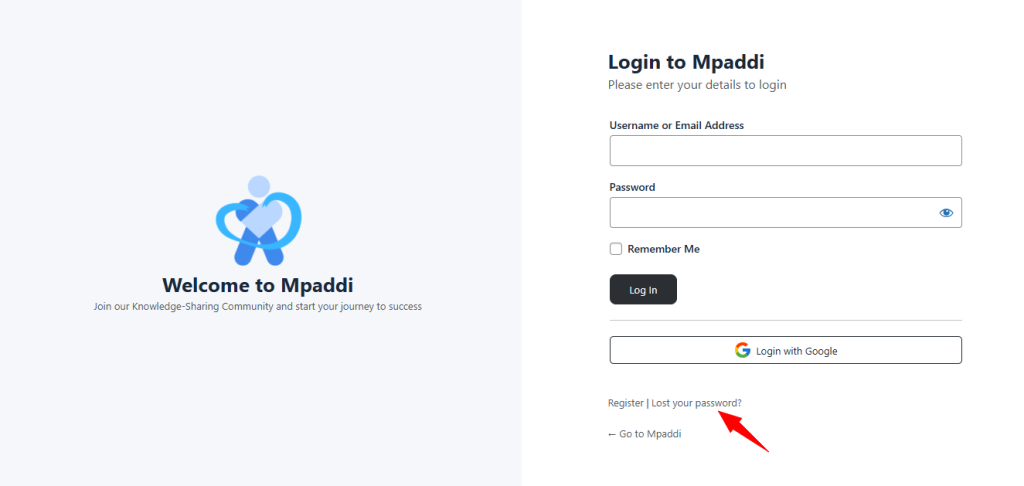
To access your account, you need an active password. If you've forgotten it, you can easily reset it from the login or registration page. Click on “Lost your password?” .
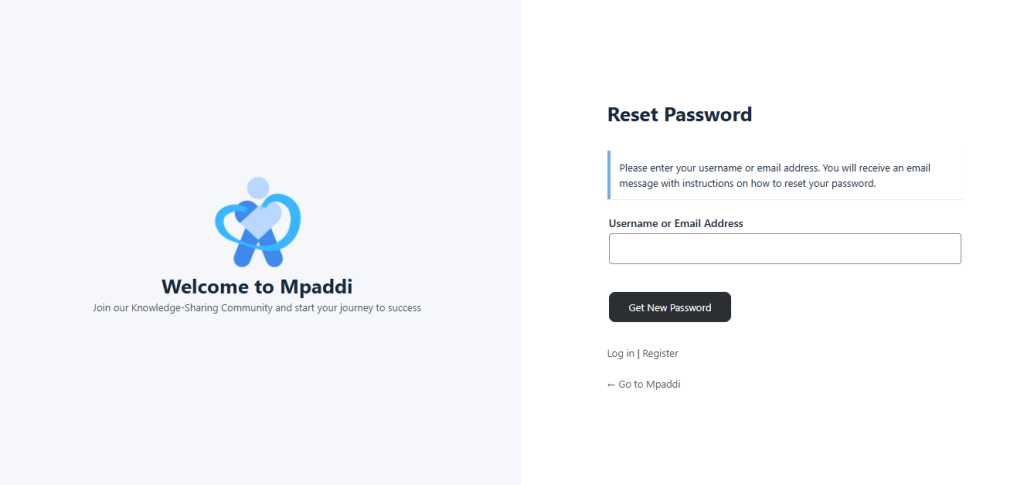
- Enter your email address or the username associated with your account.
- Click on the “Get new password” button .
A confirmation message appears :
Check your emails for the confirmation link and then go to the login page.
In the email received:
Click the link to access the new password page, then set your password.
Return to the login page and log in with your new password.
Tip: If you do not receive the email, check your spam/junk mail folders.